




W88 app Installation and Mobile Access Made Simple
W88 app installation should begin with a clear understanding of download sources, device compatibility, permissions, and account access. Mobile users need more than an installation button when choosing how to reach sports wagering or live casino services. W88 brings these activities together with account functions designed for smaller screens. A careful setup helps members distinguish essential installation steps from optional settings, while keeping expectations about connection reliability, privacy, and performance grounded in practical checks.
W88 app preparation before installing mobile software
Before downloading anything, confirm that your handset supports the installation method offered through the operator’s verified access channel. References to App W88 describe the mobile application, although download labels may differ between device versions. Avoid treating a familiar logo, search position, or promotional message as sufficient evidence that a download is authentic.

W88 app Preparation Before Installing Mobile Software
The W88 app setup process also requires enough available storage for installation files, temporary data, plus subsequent updates. The supplied installation guidance specifies at least 100 MB of free space, although actual requirements may be higher. Check the current package information before deleting files or assuming that this minimum guarantees successful installation.
Use a stable internet connection to reduce interrupted transfers, especially when downloading through mobile data with inconsistent reception. A trusted Wi-Fi connection can make larger downloads easier to complete without consuming your cellular allowance. Keep your operating system updated, then review any compatibility information displayed alongside the installation option.
Before starting a W88 download, check these practical details:
- Confirm that the download destination matches the operator’s verified website rather than an unfamiliar advertising redirect.
- Check the stated operating system requirements against your handset’s installed version before accepting an installation request.
- Review requested permissions individually, especially access involving recording, device administration, or information unrelated to the selected feature.
- Keep your login credentials private throughout installation, including when requesting help with an unexpected error message.
These checks help establish a consistent starting point before you proceed with either Android installation or Apple device setup.
Installation routes for android phones and iphones
The W88 app installation route depends on your operating system, handset settings, plus the distribution method currently available. Android packages use APK files, while Apple devices follow different installation controls that may involve developer verification. Follow the instructions displayed for your specific device rather than applying screenshots from another operating system.

Installation Routes for Android Phones and iPhones
W88 app setup on compatible android devices
Open the verified download page, select Android, then review the package details before saving the installation file. The search phrase “W88 app download apk” refers to this Android package format; it does not establish authenticity. If your browser displays a security warning, investigate the source instead of automatically overriding the message.
Apple installation and developer verification checks
On an iPhone or iPad, open the relevant download page through Safari, then follow the available installation instructions. Depending on distribution, your device may display a developer verification request under Settings, General, then VPN & Device Management. Verify the developer’s identity before trusting a profile, since its displayed name alone cannot prove legitimacy.
First launch and account access confirmation
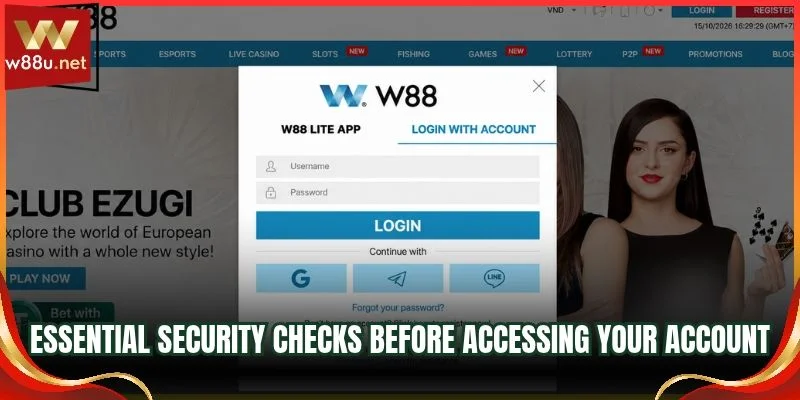
After installation, open the application, inspect its login screen, then confirm that essential account controls are clearly accessible. Check your connection before entering credentials, particularly if the screen appears incomplete or repeatedly redirects elsewhere. Download W88 only through a verified route, then use established account recovery options if your existing password fails.
If the W88 app cannot open, record the exact error before attempting another installation or changing security settings. Repeated downloads rarely resolve compatibility problems without identifying their underlying cause.
Permissions and account controls that deserve review
Successful installation does not mean every permission request needs approval before you can explore the application’s available functions. Notifications, microphone access, camera access, plus account authentication each serve different purposes, so assess their relevance separately. Your settings should reflect the features you actually use rather than a blanket acceptance of every prompt.

Permissions and Account Controls That Deserve Review
For the W88 app, microphone or camera access should be considered only when a specific function explains its purpose. Live casino video playback does not automatically require your own camera, while voice interaction may require microphone permission. Availability depends on the particular service, so avoid assuming that every table supports direct audio conversations with dealers.
Notification permission is another separate choice, especially for members who prefer fewer promotional interruptions during everyday phone use. Review any available notification categories, then select the alerts that match your preferences without creating unnecessary distractions. You can revisit these controls through your handset settings if the initial selection becomes inconvenient later.
The W88 app may present account functions such as deposits, withdrawals, or access to available casino lobbies. Before confirming a transaction, inspect the amount, selected method, recipient details, plus any conditions displayed during the process. Keep confirmation records accessible so that support can investigate a payment query using identifiable transaction information.
Biometric access, where available, should complement a protected device rather than replace basic password security or account awareness. Check whether your installed version actually supports fingerprint or facial authentication before expecting either feature during subsequent logins. A familiar interface can simplify navigation, but it does not remove the need to review important account actions.
Connection quality and troubleshooting during mobile use
Mobile performance depends on several interacting factors, including signal strength, available storage, operating system restrictions, plus background activity. A dedicated application can offer convenient navigation, but installation alone cannot guarantee uninterrupted access or faster transaction processing. Start troubleshooting with observable symptoms rather than assuming that every delay originates from the same technical problem.
- When the W88 app loads slowly, compare the connection using another ordinary internet service before changing application settings. If several services respond poorly, move to stronger reception or reconnect through a trusted network with better stability. For live sports wagering, review the displayed odds, acceptance status, plus confirmation details whenever transmission appears delayed.
- Close unnecessary background applications if your handset is struggling, then check whether insufficient storage is affecting ordinary device operation. Battery-saving settings may restrict some activity, although disabling them is unnecessary when performance already meets your needs. If problems persist, restart the handset before attempting more disruptive steps such as clearing stored application data.
- Connection restrictions can also vary between internet providers, locations, or periods of service disruption, making universal access promises unreliable. Likewise, a fixed percentage reduction in data consumption requires testing under comparable conditions before it becomes a dependable expectation. Assess actual behavior on your device instead of relying on broad claims about automatic access or guaranteed efficiency.
- Contact support with your handset model, operating system version, installation source, error message, plus the approximate time of failure. These details make technical investigation more focused, especially when the application opens successfully but a particular function remains unavailable.
Conclusion
W88 app setup becomes easier when download verification, installation steps, permission choices, and connection checks follow a clear sequence. Android users should examine APK sources, while iPhone owners should understand any developer verification request before proceeding. Once access works, review account controls carefully instead of assuming every feature behaves identically across devices. Visit W88 through its verified access channel to check current installation instructions, confirm compatibility, or request help with a specific technical issue.